
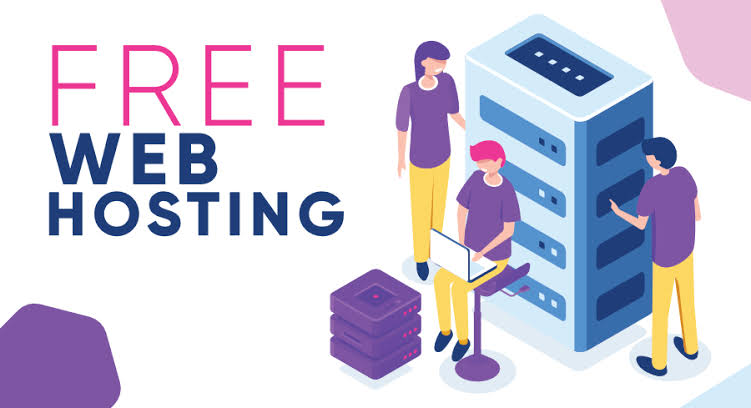
Introduction: What Is Free Web Hosting?
Free Web Hosting allows you to put a website online without paying a hosting fee. For a student, developer, blogger or someone trying out an idea, that can be a helpful first step. In reality, hosting works best when the website is small, and the cost of failure is not high.
The key is to understand what you are getting. Some free options offer storage, a subdomain, SSL, databases and a control panel. Others are more limited. Current 2026 hosting reviews still say that free plans are best for experimenting, personal sites and small projects rather than large businesses.
If you are looking at hosting versus cheap paid hosting, the price difference can be small but the benefits of paid hosting can be big. This includes support, better performance, better backups and more room to grow. This matters for businesses, shopping malls, online stores, and other websites that cannot handle downtime.
What Is Web Hosting and How Does It Work?
Free Web Hosting is a service that gives you server space at no cost. The company stores your website files on its servers and makes them available when people visit your web address.
A typical account may have an amount of storage, monthly data transfer, a subdomain, FTP access, a control panel and one or more databases. Some companies also provide a website builder or one-click app installers.
The way the business works varies. Some companies use free plans to get customers to try their paid services. Others put limits on the amount of resources or features. That is why the word “free” should not be the only thing you look at.
Free hosting is different from buying a domain. A domain is your website address, while hosting is the server space where your website lives. You may get a subdomain with a hosting account but a custom domain might cost more or not be available on the free plan.
What Features Do You Get With Free Web Hosting?
The exact package depends on the hosting company but common features include:
- Free storage for website files
- Bandwidth allowance with possible fair-use limits
- Website builders
- Control panels
- SSL certificates or HTTPS support
- Free subdomains
- Email accounts on some plans
- MySQL or MariaDB databases
- WordPress compatibility
- FTP or file-manager access
Do not think every free plan has all of these. For example, some free hosting providers offer limited storage, no email accounts, databases, a control panel and a free subdomain, while others may provide additional features.
For WordPress, check the setup before signing up. WordPress currently suggests PHP 8.3 or newer, MariaDB 10.11+ or MySQL 8.0+ and HTTPS for a modern setup.
7 Benefits of Free Web Hosting
No Monthly Hosting Cost
The main benefit is clear: you can put a website online without adding a hosting cost. This is useful when you are learning or testing an idea.
Easy for Beginners
Free hosting services often have visual dashboards, file managers and one-click installers. These tools can make it easier to publish a site.
Good for Testing Websites
Free hosting is helpful for trying out themes, layouts, plugins, scripts and small web applications before moving them to a live site.
Useful for Personal Projects
A portfolio, class project, personal blog or hobby site may not need the resources of a premium hosting plan.
Learn Website Management
You can learn how domains, DNS, databases, FTP, SSL, WordPress and control panels work without making a financial investment.
Launch Small Websites Quickly
A simple static website can often be online quickly. This makes free hosting useful for prototypes and temporary projects.
Experiment With Web Development
Developers can use free plans to practice PHP, database connections, file uploads and basic server management, provided the host supports the required technologies.
What Are the Limitations of Free Web Hosting?
Free hosting can be helpful but it has downsides.
Storage is often small. Bandwidth may be limited. Server resources can be shared, which might mean slower response times during busy periods. Support may be limited to a knowledge base, forum or ticket system.
You may also see provider branding, limited plugins, disabled server functions, limited databases, no business email or a forced subdomain. Some services may change their terms, limits or availability over time.
Security should also be a concern. A free plan is not automatically unsafe. You should not assume it is secure just because it offers SSL. Check if backups, malware scanning, account protection, software updates and recovery options are available.
Scalability is another problem. A site that works well with a hundred visitors may struggle as traffic increases. This is especially important for stores, booking sites, shopping malls and business websites.
Is Free Web Hosting Safe to Use?
It can be safe for low-risk projects if the provider is trustworthy and the account is properly protected. We suggest checking some basics before uploading files.
First, make sure HTTPS and SSL are available. Use a unique password and enable two-factor authentication when offered. Keep WordPress, themes, plugins and other software updated.
Next, look for backups and a clear recovery process. Read the provider’s acceptable-use policy, privacy policy, suspension rules and data-retention terms. If the provider has a poor reputation or unclear ownership, choose another service.
Security studies have also shown that free website-building and hosting environments can be used for phishing and other harmful activities. That does not mean every free host is dangerous; it means that reputation, isolation, monitoring and security practices matter.
Free Web Hosting vs. Paid Web Hosting
| Feature | Free Hosting | Paid Hosting |
| Cost | $0 | Monthly or annual fee |
| Storage | Usually limited | Usually higher |
| Bandwidth | Often restricted | Usually higher |
| Support | Limited | Better support options |
| Performance | Basic | More consistent resources |
| Custom Domain | May be restricted | Usually supported |
| Scalability | Limited | Better |
| Business Use | Not always ideal | Generally better |
For a small test, free hosting can be better. For a business, the value calculation changes. Paying a monthly fee for dependable resources, backups, support and a professional domain can be cheaper than dealing with downtime or a difficult move later.
Who Should Use Free Web Hosting?
Free hosting for beginners makes sense for:
- Students making class projects
- Developers learning web development
- Personal blogs
- Portfolio websites
- Small experiments
- Temporary projects
- Test environments
- Simple static websites
It is also useful when you want to learn the basics before paying for a plan.
Who Should Avoid Free Web Hosting?
Businesses should be careful if their website is directly linked to sales, leads, customer accounts or brand reputation.
You might want paid hosting if you need uptime, high traffic capacity, professional email, stronger security, fast loading, reliable support, e-commerce, automatic backups or easy scaling.
For a store, the choice is even clearer. A failed checkout or slow product page can cost money. Free hosting might save money on hosting but cost more through lost sales and bad customer experiences.
How to Choose the Best Free Web Hosting
Use this list before making an account:
- Storage: Is there space for your files and media?
- Bandwidth: Is monthly traffic limited?
- Uptime: Does the provider share reliability details?
- SSL: Is HTTPS included?
- Control panel: Is site management easy?
- WordPress support: Can you install and update WordPress?
- Database support: Are MySQL or MariaDB available?
- Custom domain: Can you link a domain you already have?
- Backups: Are backups included and can you restore them?
- Customer support: What happens when something goes wrong?
- Upgrade options: Can you move to a paid plan later?
- Terms: Are there rules about traffic, files, ads or business use?
Do not pick a hosting provider just because it claims “unlimited” storage or bandwidth. Read the fair-use rules and suspension terms.
How to Start a Website With Free Web Hosting
Starting is usually simple:
- Pick a free hosting provider.
- Make an account with your details.
- Choose the free plan.
- Choose a subdomain or connect your own domain if it is allowed.
- Upload your website files or use the site builder.
- Install another CMS if the system allows it.
- Set up SSL and make sure HTTPS is working.
- Check forms, menus, images, links and mobile design.
- Monitor how fast the site performs and how often it is available after it goes live.
Before you put the website online, make a copy of your website files and database. Never assume that a free host will save your work for you.
When Should You Move From Free to Paid Hosting?
A good moment to move is when the website becomes important.
Think about switching to paid hosting when visitors increase, space runs out, you want a custom domain, speed becomes important or you need business email.
The same is true when you open a store, start collecting user data, need more security or require help from experts. A paid plan can offer more processing power and memory, better backups, stronger systems and a clearer way to grow.
In 2026, low-cost paid hosting can have more features than many free plans. When comparing options, consider speed, support, security, renewal costs and scalability.
Conclusion: Is Free Web Hosting Worth It in 2026?
Free Web Hosting is worth considering when your goal is to learn, experiment or run a small personal website. It removes the cost of hosting and gives beginners a practical way to learn how websites work.
“Free” does not mean no limits, no risks or the right choice for every project. Limits on resources, slower speed, less support, subdomains and limited growth can cause problems as a site becomes more popular.
For a business, store, e-commerce site or valuable website, paid hosting is usually the better long-term choice. Look at storage, data transfer, uptime, SSL, backups, support, WordPress compatibility and scalability before making a decision.
If you start small, try your idea on a free plan. If the site begins to bring in customers or money, move to a paid plan before hosting limitations affect your website.
FAQ
Is Free Web Hosting Free?
Yes, some companies really offer plans with no cost. However, free accounts may have limits on what they can do, use subdomains, provide limited support or lack some features. Always check the rules.
Can I Use WordPress on Free Web Hosting?
Yes, some free options support WordPress. Check what is needed for PHP, database, HTTPS, storage and installation before picking a plan. WordPress now suggests PHP 8.3+, MariaDB 10.11+ or MySQL 8.0+, and HTTPS for a modern setup.
Can I Use My Domain With Free Hosting?
Sometimes. Some services let you use a domain you already have, while others only give you a subdomain. Check domain and DNS support before signing up.
Is Free Web Hosting Good for People Who Are New?
Yes, for learning, showing work, testing ideas and running small projects. It is not the best choice for sites where downtime, slow speed or limited support could hurt users.
Can I Make Money From a Website That Is Free?
It is possible. You can earn money through ads, selling products, digital items or other methods if the host allows commercial activities. Check the provider’s rules before starting monetization.
What Is the Difference Between Free and Cheap Web Hosting?
Free hosting has no cost but usually has more limitations. Cheap paid hosting costs a small amount but often provides more space, better performance, custom-domain support, backups, email and customer support. For a website that grows, that additional control can be more valuable than saving a small monthly amount.
Leave a Reply